The NFPA expects a neighborhood to be a Firewise community already before applying for certification, but doesn’t provide detailed guidance. Here’s how to navigate that first year:
2 Likes
Join an existing neighborhood or start a new one?
Joining an Existing FireWise Community (FWC) in your neighborhood is a great way to get involved with Firewise. Whether joining an existing FWC or starting a new one, many steps are the same, but it may be easier to become part of an established FWC. Larger groups are encouraged by the approving entity (NFPA) so the approval process may be smoother. A group’s size may also influence grant funding decisions and make its community events more successful.
- Since Firewise Communities must be contiguous homes and streets, your neighborhood must adjoin an existing FWC group in order to become a part of it.
- Joining an existing FWC needs official Firewise approval, but it is straightforward to obtain.
- If joining an existing FWC, your group does not create a new Firewise Application. Instead, it is added to an existing FWC’s Annual Renewal Application.
- Find FWCs in your immediate vicinity and reach out to their leaders using our Find my neighborhood page to see if they’re receptive to expanding their group boundaries. If they agree, they will update their FWC boundary maps, Community Risk Assessment and 3 Year Action Plan accordingly.
- The consenting FWC must be kept informed on the completion of the initial Firewise informational meeting, neighborhood walkthrough, and other requirements described in the Preparatory work and early decisions and The heavy lifting sections that follow below.
If joining an existing FWC isn’t possible, new groups can be formed with as few as 8 contiguous homes, although in denser urban areas like the East Bay Hills 12 or more homes is preferred by the NFPA reviewers.
2 Likes
Initial steps (for both starting new groups or joining an existing group)
- Find at least 8 households (for new FWCs) in your neighborhood that are interested, including a few people who are willing to do some initial organizing. The households do not need to be contiguous, just within your eventual zone.
- When expanding an existing FWC, no minimum number of homes is required.
- Set up an initial informational meeting with the BFD Firewise liaison (currently Chief Kevin Revilla at KRevilla@berkeleyca.gov).
- Advertise the meeting in your neighborhood, through email lists and flyers.
- After the meeting, assemble a core team to conduct recruiting, decide on a boundary, make a map, and choose a name for the community.
- If starting a new Firewise group, create an account on the Firewise website: Log in | Firewise (not required if joining an existing group)
1 Like
Preparatory work and early decisions
- Start tracking the hours you and your team are spending on organizing a community–the time will eventually be reported on your application.
- Conduct initial recruiting, to assess the level of interest as well as the scope (i.e., geographical area in which there are interested households).
- Decide on the boundaries of your zone. Factors to consider:
- Neighborhood buy-in. There need to be some interested homeowners distributed throughout the proposed zone, and no section preferring to be a separate community.
- Size. Cal Fire likes bigger communities, and the high initial investment of organizing a community combined with the low annual requirements creates substantial economies of scale. If there’s buy-in from a bigger area of the neighborhood and people willing to be co-leaders, consider creating a bigger zone.
- Neighboring Firewise communities. Be sure not to leave any stranded homes between your proposed zone and a neighboring Firewise community.
- Choose a name and make a map. There’s no set method for making a map, but Chris Cullander has proposed an excellent and simple process that satisfies Firewise requirements. Make sure the listed number of dwellings matches everywhere on your application.
- Attach the map to an email to the California State liaison for Firewise (listed on your Firewise portal), letting him know of your intention to create a Firewise community. They will advise you on the process, but will also need to approve it prior to it being reviewed by Firewise National.
1 Like
Errors to avoid in the application
The NFPA review process is detail-oriented, and small mistakes are enough to have your application rejected—it then requires an additional application step after correction. Here are a few sources of small errors:
- In the portal community description (which appears to the applicants separate from the application since it is embedded in the NFPA website itself), the number of households needs to match exactly that given in application’s community description and in the risk assessment
- the 3-year plan has a header that needs to get filled to reflect the name and date of the application
- the expense and metrics tracking is good for a calendar year only (not for the last 12 months), so, when you have already captured a lot of data, it becomes important to file before the end of the calendar year.
1 Like
Reference: how to draw your Firewise map
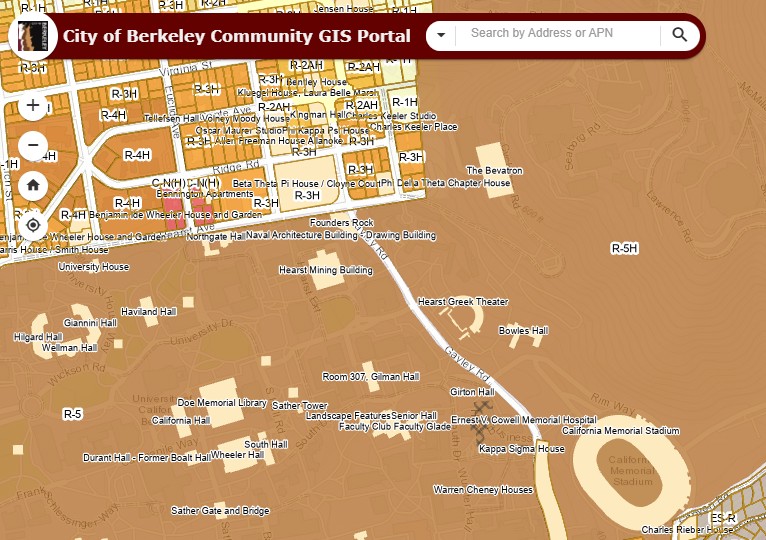
The original map to start from needs to have structure and property line level detail, since the map sent to NFPA has to be granular to the house. The best map to start from is this City of Berkeley GIS Portal map. A cleaner and more accurate map, but with no way to display house numbers, is the Alameda County Assessor’s map.
Below is a detailed process to obtain an electronic map. There is, however, a much faster manual process.
- get rid of the legends by clicking them off
- move to your area of the map
- zoom as high as possible while still being able to see all of your area
- take a screenshot of your area and save it as a PNG file (a PNG file does not lose any resolution details, while a JPG does)
- Open your Google Drive, hopefully in your Firewise folder (you will definitely need one for the application process)
- Select new, but, rather than picking on Doc or Sheet, select more…
- of the new choices that show up, select Drawing
- Name your new Google Drawing
- Insert your PNG image as the background
- Make the map as large as possible using the Zoom feature. When your map is published, it will be smaller and the lines you drew to outline your Firewise boundary will be smooth.
- Select polygonal lines as the drawing tool
- Draw your boundary line, house by house, using the polygonal line feature.
- Screenshot the result, and save it as a JPG
- Use the resulting JPEG as your area map.
Possible errors to avoid
- Do have a single boundary line around your whole area? Do not separately circle different city blocks that are included in your boundary area.
- Do not leave gaps. if there are a few necessary gaps in your area (for instance houses that belong to a neighboring Firewise group) add a text box in the map to explain the omission
- Per the NFPA, even if a property owner is not interested in Firewise, her/his property may be included within the boundary of a neighborhood. It should be included in the boundary of the area if it is needed in order to make the area a single block: don’t leave them out (the NFPA does not like gaps). The person might sell the house and the next owner could appreciate Firewise involvement.
This process is based on Chris Cullander’s detailed process proposal
Quick manual process for a hand-drawn map to submit to the NFPA
- Locate your area on one of the two maps identified earlier
- Zoom to the highest level that still includes all the boundaries of your neighborhood
- Print the page
- Use a color marker to outline your footprint
- Scan the map
- Submit it to NFPA
2 Likes